kbLogger becomes kbKite
More than just logging – time for a name that reflects that.
kbKite does more than just record data. It communicates with devices and controllers, interprets protocols, visualizes measurements in real time, enables project-specific user interfaces, automates processes using JavaScript, and executes complete test sequences—including test reporting. Combined with kbRock hardware, it forms a flexible platform for communication, analysis, and automated testing.
That is why kbLogger is now becoming kbKite.
This renaming does not signal a fresh start, but rather the consistent evolution of the existing product. The proven concepts and experience gained with kbLogger remain the foundation; kbKite carries them forward under a name that no longer limits the product to a single function.
kbLogger was the logger that kept doing more. kbKite is the test tool it has evolved into.

kbKite – Connect. Analyze. Automate.
A powerful and flexible platform for embedded communication, real-time analysis, and automated testing.
Kodeburg's kbKite brings communication, data acquisition, visualization, and test automation together in one versatile software environment. Designed for engineers and developers, kbKite simplifies the development, debugging, and validation of embedded systems, electronic devices, and communication interfaces.
From monitoring individual signals to automating complex test sequences, kbKite adapts to your requirements through a modular architecture, customizable interfaces, and powerful scripting capabilities.
Key features include:
Versatile Device Communication: Connect to devices under test (DUTs) using interfaces such as RS232, Ethernet, CAN, I²C, and SPI. Monitor, transmit, and interact with communication data across different hardware platforms.
Real-Time Logging and Analysis: Capture, filter, inspect, and analyze communication data as it happens. Powerful message filters, editors, and visualization tools help you identify problems and understand system behavior.
Protocol Interpretation: Transform binary communication data into meaningful information using the Translator module. Define custom message formats and decode protocols in real time.
Customizable User Interfaces: Create application-specific control panels, dashboards, and interactive tools with the integrated GUI Designer. Combine drag-and-drop widgets with JavaScript to build interfaces tailored to your project.
Powerful JavaScript Scripting: Implement custom protocols, control devices, process data, and automate workflows. Hardware-independent scripting allows you to reuse your solutions across different communication interfaces.
Automated Testing: Design and execute test sequences with built-in support for repeated execution, retries, event recording, and result management. Generate comprehensive HTML test reports, including plots and screenshots.
Live Data Visualization: Extract numerical values from incoming messages and display them in real-time plots without writing code. Analyze trends, monitor signals, and visualize system responses instantly.
Audio Signal Analysis: Capture and analyze audio signals using standard sound hardware, including frequency-domain analysis with Fast Fourier Transforms (FFT).
From the first connection to the final test report, kbKite gives you the flexibility to build the tools your project needs — all within a single integrated environment.
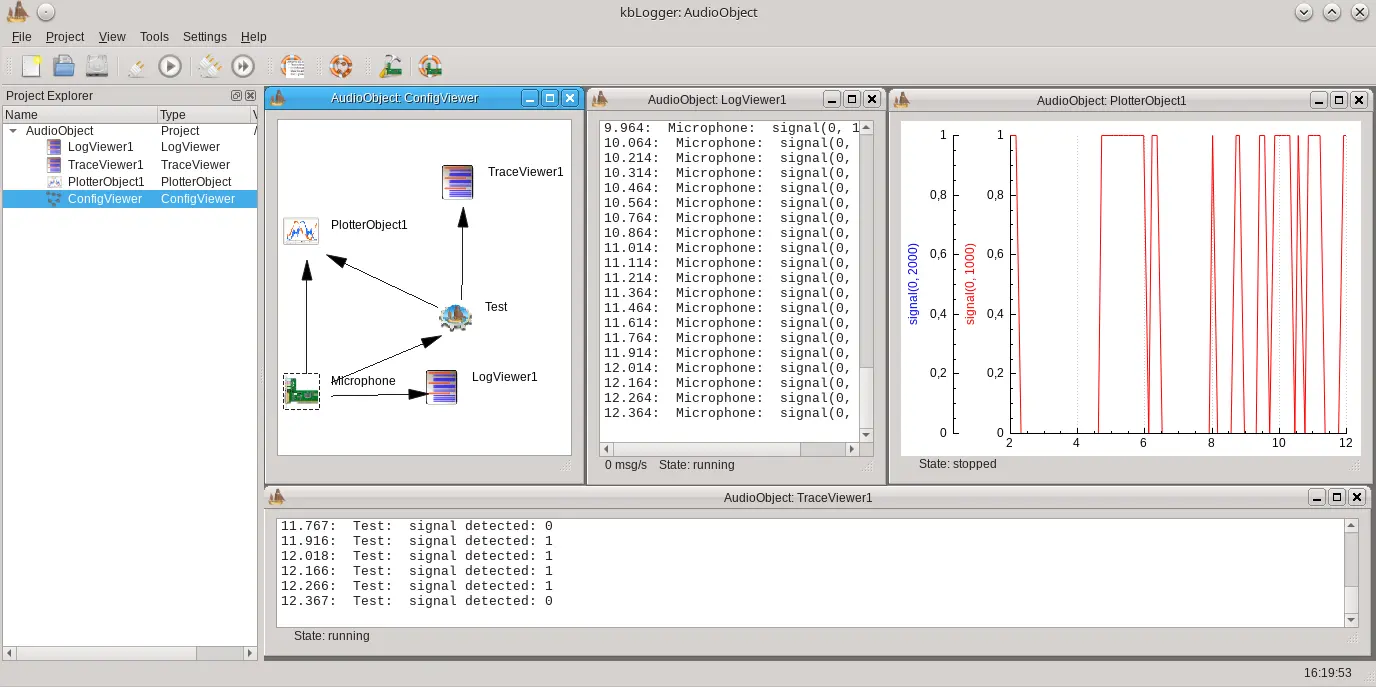
Configurable UI
kbKite projects are configured graphically via ConfigItems in the ConfigViewer. The output is done in the ConfigItem related ChildWindows.
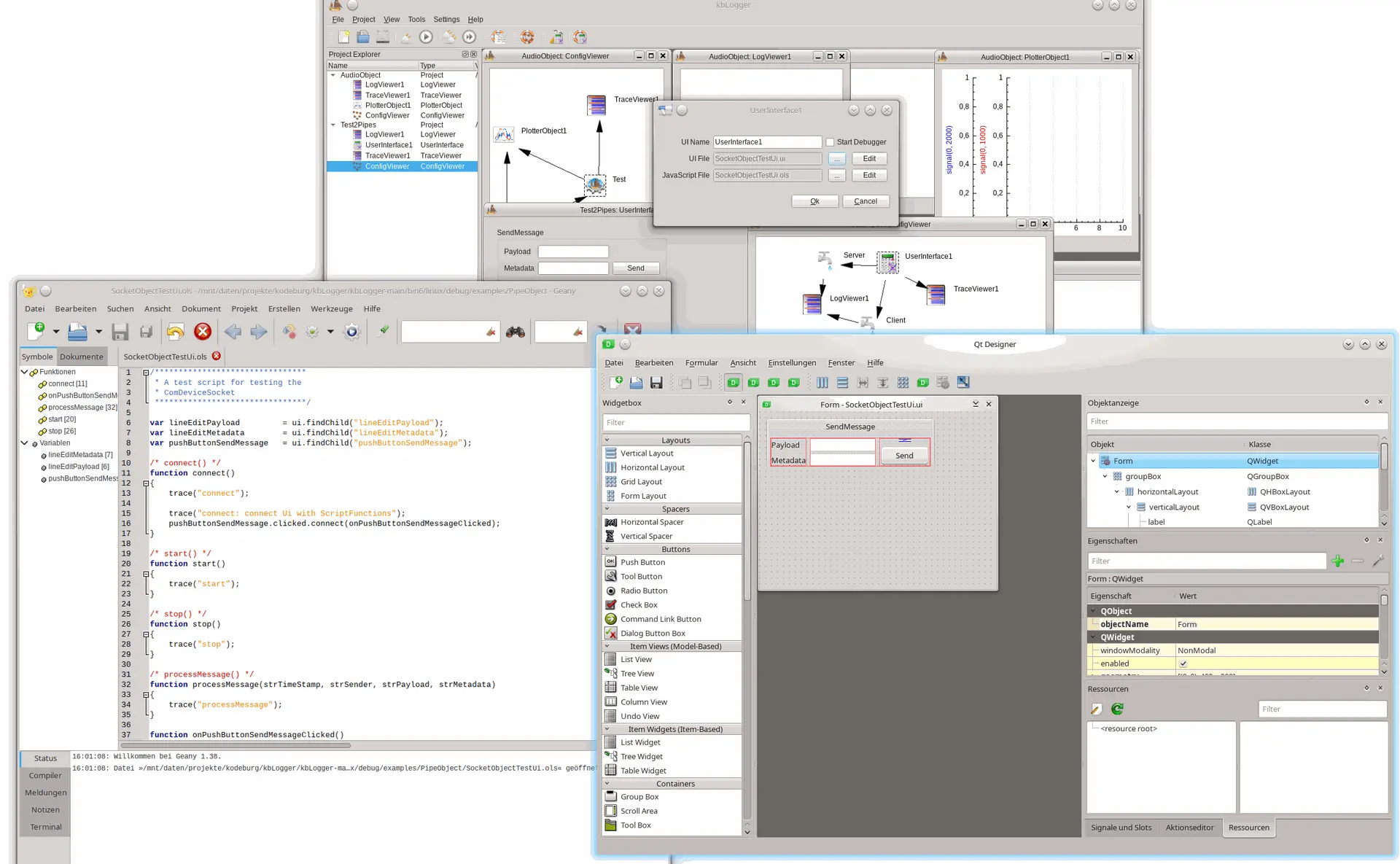
GUI designer
User defined UIs are done with the included GUI designer. Arrange your needed widgets by drag&drop and give them a functionality by user defined JavaScript.
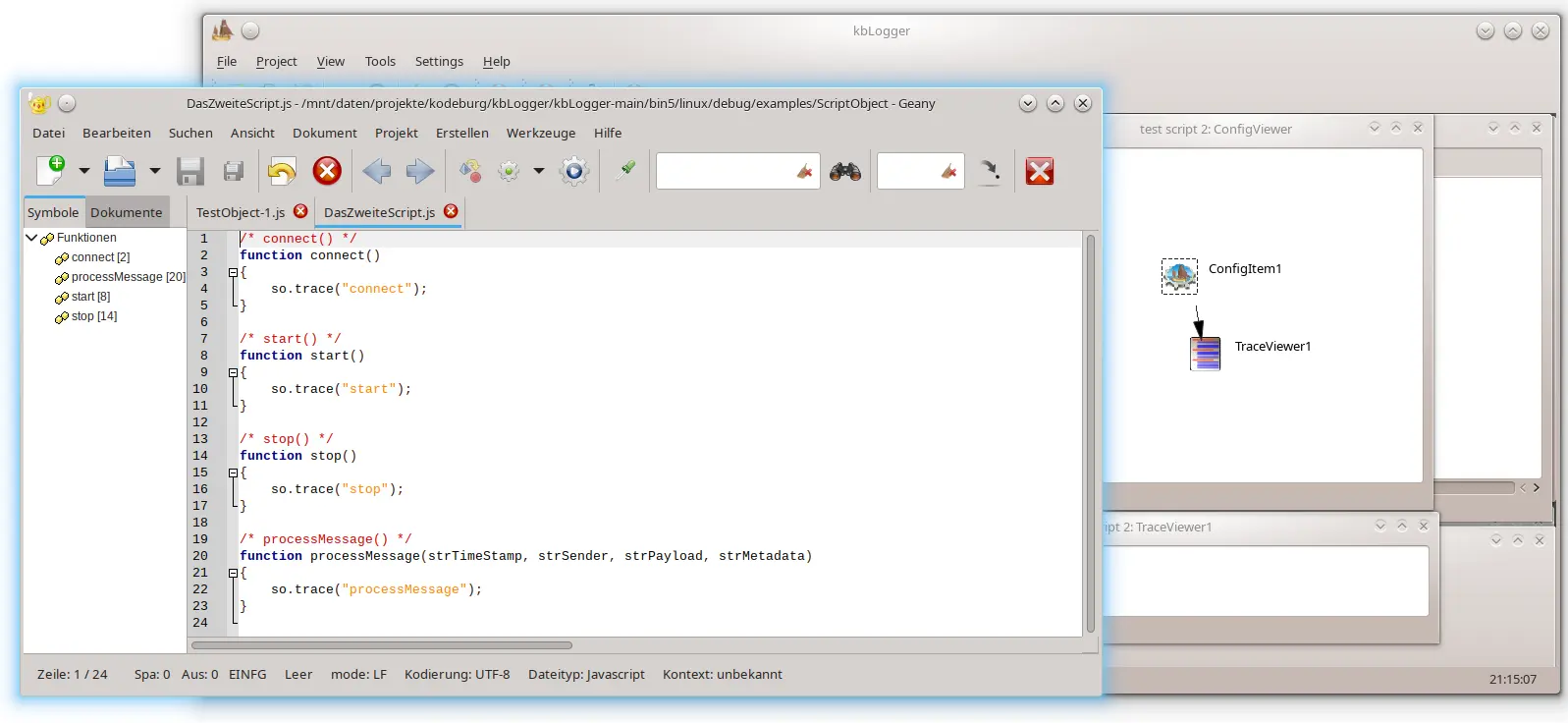
Scripting Module
Do you to implement your own protocols? Implement them in the ScriptObject in a harware independant way.
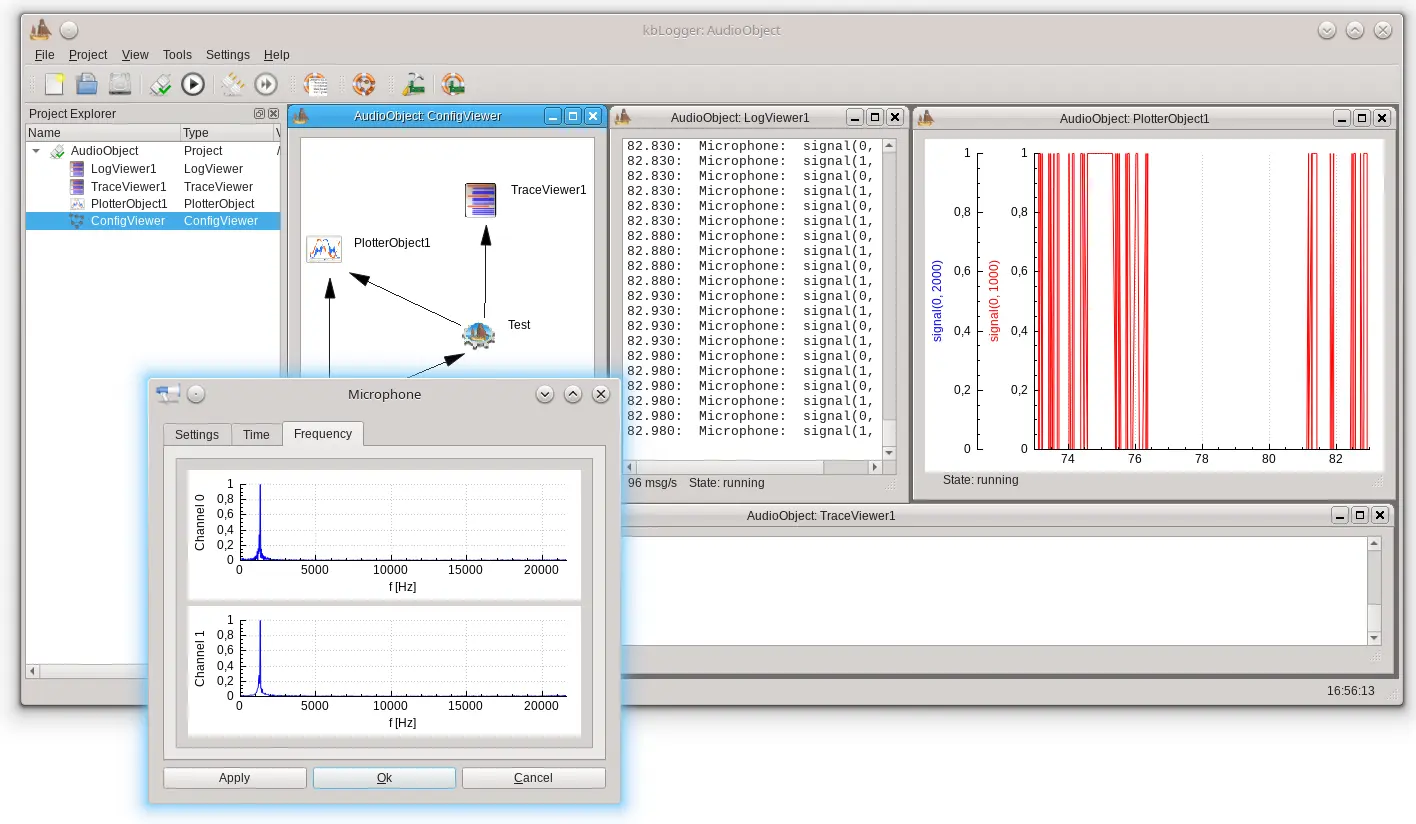
Plotter
The plotter window is able to extract number from messages by using some regular expressions and show them in a graph in realtime. No programming necessary.

Test module
User defined test are done by declare them in the TestObject. Repeated execution of them, retries, event recording and result storage are already implemented in the TestObject.
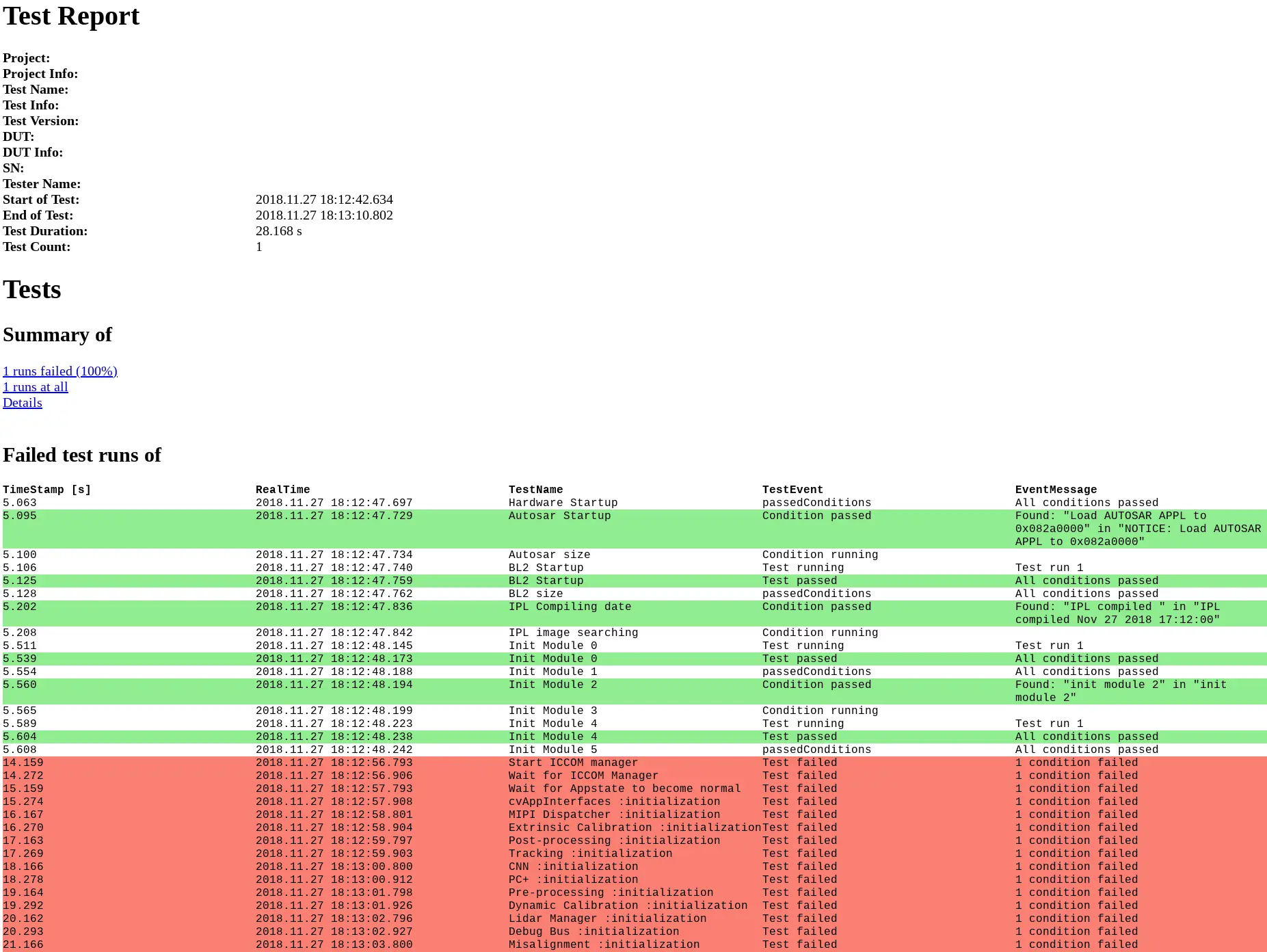
Test report generation
For documentation of your test results, the TestObject can generate a HTML test report including screenshots from the Plotters, if necessary.